





Guaranteed Reviews

Free shipping from €299

Installment payment with no fees via Alma

2-year warranty
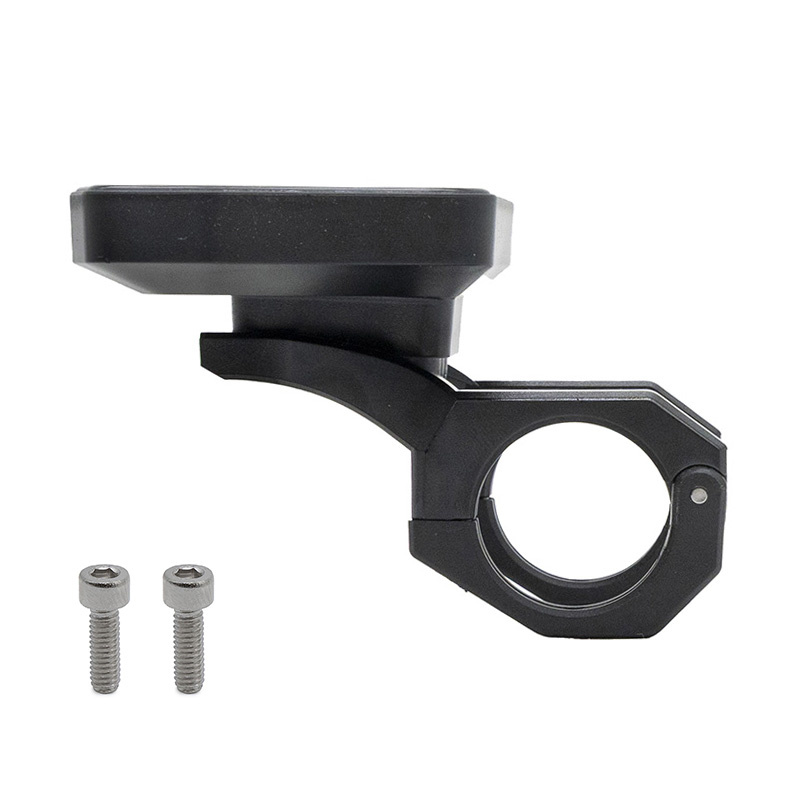
Optimize the control of your electric mobility withEwheel's ECOXTREM M41 display. Designed to provide a clear display and quick access to driving information, this screen/display integrates into your vehicle's electronic ecosystem to enhance day-to-day operating comfort. Ideal as a replacement for a faulty original screen, or as part of a refurbishment project, it contributes to a clearer, more practical and more controlled driving experience.
Main function: to display the information you need to use and monitor your electric vehicle (depending on original configuration and installation).
Key features
Before you buy
↓ Scroll down to see detailed technical specifications at the bottom of the sheet.
Warranty : 2 years

Delivery in 3 to 5 business days
Free for orders over €299

Need help?
Contact one of our experts !

Returns within 14 days
Presentation of the Ewheel Display ECOXTREM M41 screen
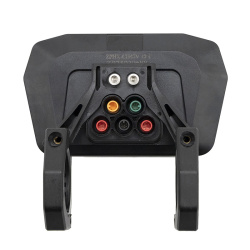
Ewheel's Display ECOXTREM M41 is a display module designed to equip or replace a screen on an electric mobility vehicle. It centralizes driving information and makes day-to-day driving easier, thanks to direct access to display functions and control electronics, depending on the vehicle's original configuration.
User benefits
As a screen/display dedicated to electric soft mobility, the Display ECOXTREM M41 helps to keep useful information clearly visible during use, while simplifying interaction with on-board electronics. It's the ideal solution for replacing a damaged, illegible or faulty display, restoring normal operation and greater peace of mind on the handlebars.
Technical specifications (available data)
Product : Screen / Display for ECOXTREM M41 system.
Brand: Ewheel.
Categories: Screen / Display; Electronics.
Recommended uses
This display is recommended as a replacement for an original screen, or for refurbishing the cockpit when the display is no longer functional. It is designed for the maintenance and repair of display-related electronic systems on electric mobility devices equipped with ECOXTREM M41 units.
Compatibility
Compatibility explicitly stated: ECOXTREM M41 system. No other compatibility (brands, models, controllers, connectors or voltages) is specified in the information provided.
Expert advice
Before purchasing, identify precisely the reference of the screen installed and the "M41" mention on your equipment to avoid any version error. When replacing, switch off the power supply and check the condition of the connectors and harness (no bent pins, no oxidation, no pinched cables). If you have any doubts about compatibility or diagnostics (screen vs. controller vs. harness), have the assembly checked by a professional to ensure safe return to service.

![Display Xiaomi Mi3 Lite (Version FR/DE) [Original]](https://doctibike.com/17946-medium_default/display-xiaomi-mi3-lite-version-fr-de-original-.jpg)
![Display cover Ninebot F2 Plus [Ninebot]](https://doctibike.com/16260-medium_default/display-cover-ninebot-f2-plus-ninebot-.jpg)
![Display EY3 V2 for Dualtron [Minimotors]](https://doctibike.com/16120-medium_default/display-ey3-v2-for-dualtron-minimotors-.jpg)
![Display Ninebot F2/F2 Pro [Ninebot]](https://doctibike.com/16230-medium_default/display-ninebot-f2-f2-pro-ninebot-.jpg)

![Display EY4 [Minimotors]](https://doctibike.com/16155-medium_default/display-ey4-minimotors-.jpg)
![Xiaomi Mi4 Display [Original] – FR version](https://doctibike.com/17851-medium_default/xiaomi-mi4-display-original-fr-version.jpg)
![Pink display with acceleration index to JP 6 [J&P]](https://doctibike.com/16175-medium_default/pink-display-with-acceleration-index-to-jp-6-jp-.jpg)