


![Display for Xiaomi Mi3 lite [Ewheel]](https://doctibike.com/18013-home_default/display-for-xiaomi-mi3-lite-ewheel-.jpg "Display for Xiaomi Mi3 lite [Ewheel]")
![Display for Xiaomi Mi3 lite [Ewheel]](https://doctibike.com/18014-home_default/display-for-xiaomi-mi3-lite-ewheel-.jpg "Display for Xiaomi Mi3 lite [Ewheel]")
![Display for Xiaomi Mi3 lite [Ewheel]](https://doctibike.com/18015-home_default/display-for-xiaomi-mi3-lite-ewheel-.jpg "Display for Xiaomi Mi3 lite [Ewheel]")
![Display for Xiaomi Mi3 lite [Ewheel]](https://doctibike.com/18013-medium_default/display-for-xiaomi-mi3-lite-ewheel-.jpg "Display for Xiaomi Mi3 lite [Ewheel]")
![Display for Xiaomi Mi3 lite [Ewheel]](https://doctibike.com/18014-medium_default/display-for-xiaomi-mi3-lite-ewheel-.jpg "Display for Xiaomi Mi3 lite [Ewheel]")
![Display for Xiaomi Mi3 lite [Ewheel]](https://doctibike.com/18015-medium_default/display-for-xiaomi-mi3-lite-ewheel-.jpg "Display for Xiaomi Mi3 lite [Ewheel]")

Guaranteed Reviews

Free shipping from €299

Installment payment with no fees via Alma

2-year warranty
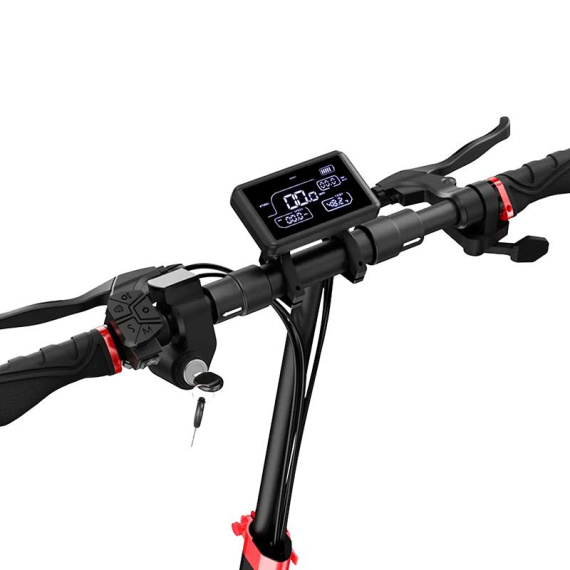
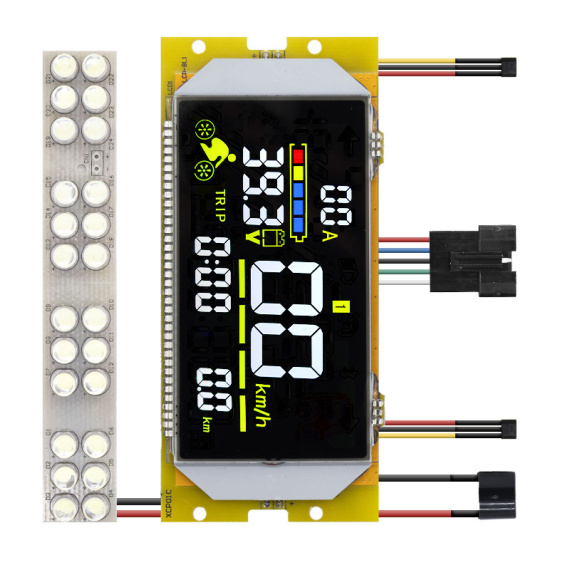
Replace a faulty display and regain clear control of your electric mobility. Thedisplayfor Xiaomi Mi3 lite is a dedicated piece ofelectronics designed to restore a damaged, unreadable or intermittent dashboard. Ideal for maintenance, repair or recommissioning, it contributes to smoother, more serene daily use.
As the central element of thedisplay, this screen makes it easy to read the information you need to drive (depending on the data managed by your vehicle). It's the perfect way to extend the life of your equipment and avoid a complete replacement, while maintaining a consistent driving experience.
Scroll down to see detailed technical specifications at the bottom of the sheet ↓
Warranty: 2 years

Delivery in 3 to 5 business days
Free for orders over €299

Need help?
Contact one of our experts !

Returns within 14 days
Presentation
The screen for Xiaomi Mi3 lite is a replacement electronic part dedicated to displaying essential information on your soft mobility device. Designed to restore a clear reading and more serene piloting, it allows you to regain a functional dashboard in the event of a defective, illegible or damaged screen.
Benefits for the user
By replacing an out-of-order or damaged screen, you get back a display that can be used on a daily basis to monitor your driving information and better control the use of your vehicle. This repair helps to avoid "blind" use, and contributes to more practical use, particularly for monitoring data displayed during your journeys.
Technical specifications
- Type: display / display module
- Category: electronics (display)
Recommended uses
This display module is recommended for replacing a screen with display defects (reduced legibility, missing segments, non-functional screen) or following breakage. It is intended for maintenance and repair operations on compatible soft mobility devices.
Compatibility
Compatible with Xiaomi Mi3 lite (mentioned on the product).
Installation and points of attention
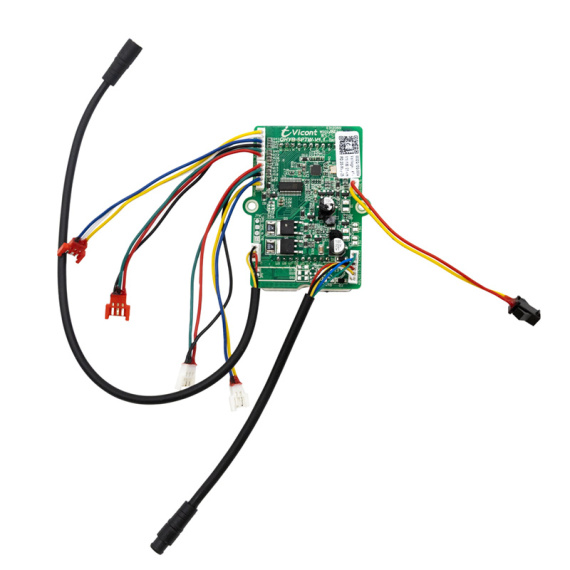
As this component is a piece of display electronics, installation generally requires careful intervention to avoid damage to connectors or wiring. In the absence of further technical details, it is advisable to check the exact match of the model before installation.
Expert advice
Switch off the power supply to the device before any work is carried out, and avoid working on it when it is live. Inspect the condition of connectors and harness (oxidation, bent pins, pinched cable) before replacing the display, as a power or connection fault may cause symptoms similar to a display failure. After installation, check that the display is stable and securely mounted to limit vibrations, which are common in urban use.
![Display for Xiaomi Mi3 lite [Ewheel]](https://doctibike.com/18013-small_default/display-for-xiaomi-mi3-lite-ewheel-.jpg)

![Display Xiaomi Mi4 Ultra [Original]](https://doctibike.com/17969-medium_default/display-xiaomi-mi4-ultra-original-.jpg)

![Display Screen EY2 for Dualtron POP [Minimotors]](https://doctibike.com/17962-medium_default/display-screen-ey2-for-dualtron-pop-minimotors-.jpg)
![Display for Xiaomi Mi3 lite [Ewheel]](https://doctibike.com/18013-large_default/display-for-xiaomi-mi3-lite-ewheel-.jpg "Display for Xiaomi Mi3 lite [Ewheel]")
![Display for Xiaomi Mi3 lite [Ewheel]](https://doctibike.com/18014-large_default/display-for-xiaomi-mi3-lite-ewheel-.jpg "Display for Xiaomi Mi3 lite [Ewheel]")
![Display for Xiaomi Mi3 lite [Ewheel]](https://doctibike.com/18015-large_default/display-for-xiaomi-mi3-lite-ewheel-.jpg "Display for Xiaomi Mi3 lite [Ewheel]")