


![Display Ninebot Max G2E [Ninebot]](https://doctibike.com/16127-home_default/display-ninebot-max-g2e-ninebot-.jpg "Display Ninebot Max G2E [Ninebot]")
![Display Ninebot Max G2E [Ninebot]](https://doctibike.com/16128-home_default/display-ninebot-max-g2e-ninebot-.jpg "Display Ninebot Max G2E [Ninebot]")
![Display Ninebot Max G2E [Ninebot]](https://doctibike.com/16129-home_default/display-ninebot-max-g2e-ninebot-.jpg "Display Ninebot Max G2E [Ninebot]")
![Display Ninebot Max G2E [Ninebot]](https://doctibike.com/16130-home_default/display-ninebot-max-g2e-ninebot-.jpg "Display Ninebot Max G2E [Ninebot]")
![Display Ninebot Max G2E [Ninebot]](https://doctibike.com/16127-medium_default/display-ninebot-max-g2e-ninebot-.jpg "Display Ninebot Max G2E [Ninebot]")
![Display Ninebot Max G2E [Ninebot]](https://doctibike.com/16128-medium_default/display-ninebot-max-g2e-ninebot-.jpg "Display Ninebot Max G2E [Ninebot]")
![Display Ninebot Max G2E [Ninebot]](https://doctibike.com/16129-medium_default/display-ninebot-max-g2e-ninebot-.jpg "Display Ninebot Max G2E [Ninebot]")
![Display Ninebot Max G2E [Ninebot]](https://doctibike.com/16130-medium_default/display-ninebot-max-g2e-ninebot-.jpg "Display Ninebot Max G2E [Ninebot]")

Guaranteed Reviews

Free shipping from €299

Installment payment with no fees via Alma

2-year warranty
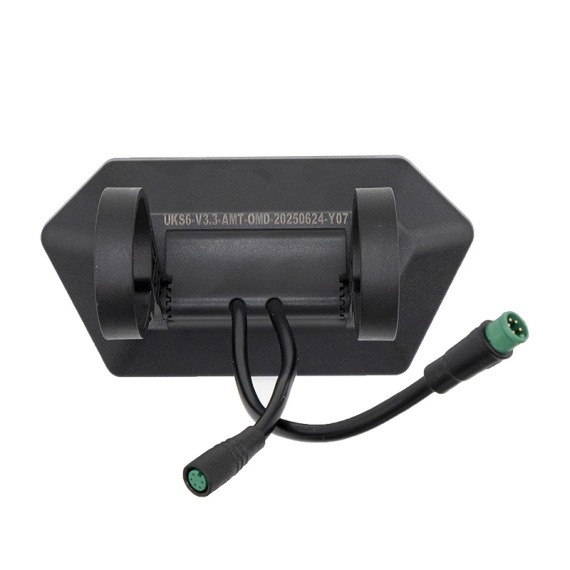
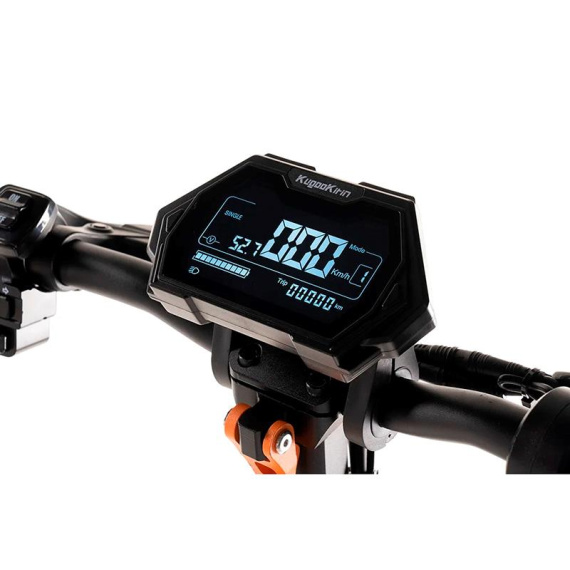
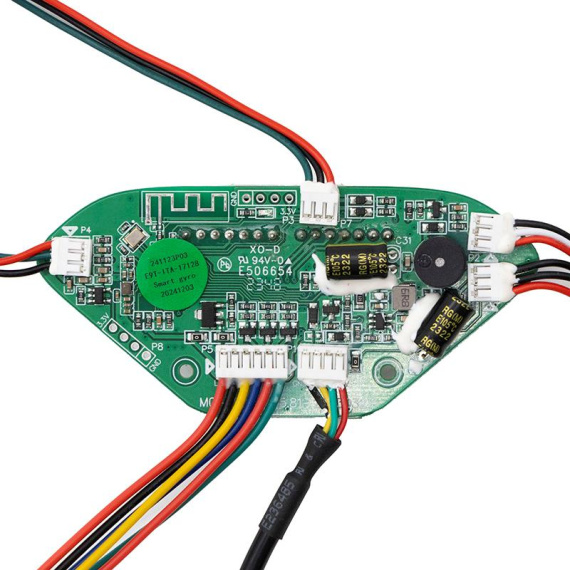
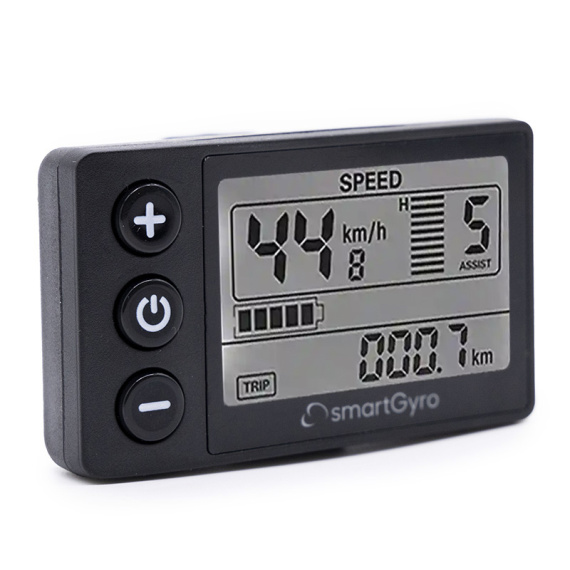
Ninebot Max G2E display: find a clear and immediate reading of driving information to pilot your electric mobility with more comfort and control. This Ninebot display is a dedicated replacement part for the Max G2E range, designed to help you maintain reliable visual control of essential data during your daily commute.
Positioned at the heart of your machine'selectronics, this Ninebot display contributes to a smoother driving experience: better legibility, quick consultation of useful information and continuity of use when the original display is damaged or malfunctions. It's the right choice for maintaining the performance and safety of an electric vehicle in good working order.
Scroll down the page to see detailed technical specifications at the bottom ↓
Warranty : 2 years

Delivery in 3 to 5 business days
Free for orders over €299

Need help?
Contact one of our experts !

Returns within 14 days
Product overview
The Ninebot Max G2E display is a screen designed for the Ninebot Max G2E electric scooter. It allows you to view useful driving information and maintain a clear, legible control interface on a daily basis. This spare part can be used to replace a damaged screen or to refurbish an original control unit.
Benefits for the user
By replacing a defective screen with a Ninebot Max G2E-compatible display, you'll be able to follow your driving instructions and use your electric scooter in the best possible conditions. It's the ideal solution for restoring normal use of the device without modifying its original assembly.
Technical specifications (available data)
- Product type: screen / display
- Brand: Ninebot
- Family: electronics (electric mobility parts)
Recommended uses
This display is recommended for replacing a screen with a display defect, breakdown or malfunction, as part of a Ninebot Max G2E electric scooter repair. It is also suitable for maintenance operations to restore the display interface.
Known compatibilities
Compatible with : Ninebot Max G2E.
Expert advice
Before purchasing, check that your model is a Ninebot Max G2E (and not a similar variant). When replacing the display, switch off the scooter's power supply and make sure the connectors are correctly repositioned (no bent pins, no pinched cables). After installation, carry out a complete functional check of the display before resuming use.
![Display Ninebot Max G2E [Ninebot]](https://doctibike.com/16127-small_default/display-ninebot-max-g2e-ninebot-.jpg)


![Display EY3 VM2.0 [Minimotors]](https://doctibike.com/16085-medium_default/display-ey3-vm20-minimotors-.jpg)
![Xiaomi Mi4 Lite (1st Gen) Display [Ewheel]](https://doctibike.com/18242-medium_default/xiaomi-mi4-lite-display-1st-gen.jpg)
![Display Ninebot Max G2E [Ninebot]](https://doctibike.com/16127-large_default/display-ninebot-max-g2e-ninebot-.jpg "Display Ninebot Max G2E [Ninebot]")
![Display Ninebot Max G2E [Ninebot]](https://doctibike.com/16128-large_default/display-ninebot-max-g2e-ninebot-.jpg "Display Ninebot Max G2E [Ninebot]")
![Display Ninebot Max G2E [Ninebot]](https://doctibike.com/16129-large_default/display-ninebot-max-g2e-ninebot-.jpg "Display Ninebot Max G2E [Ninebot]")
![Display Ninebot Max G2E [Ninebot]](https://doctibike.com/16130-large_default/display-ninebot-max-g2e-ninebot-.jpg "Display Ninebot Max G2E [Ninebot]")